
Introduction
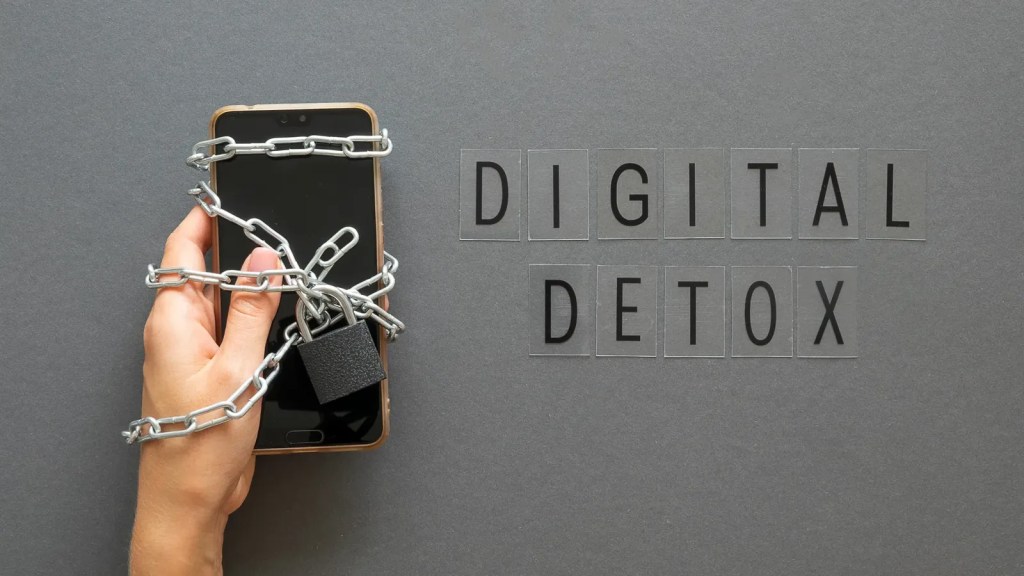
You do not have to throw your phone in a drawer to reclaim your mind. This 14-day plan blends practical screen-time limits with CBT-based tools for “notification anxiety,” so you can keep what you love about tech while cutting what drains you. If you are in Brandon, Riverview, Valrico, Lithia, Plant City, Apollo Beach, or Wimauma (FL), Dr. Ronda Porter offers evidence-based Counseling and Therapy to personalize this reset and make it stick.
Why a Digital Detox in 2026?
Algorithms got better, feeds got louder, and many of us now check our phones more than we check in with ourselves. Overload shows up as racing thoughts, fractured focus, and doomscroll spirals at night. A successful detox is not about perfection; it is about upgrading habits so your attention serves your goals.
What you will gain in 14 days
- A calmer nervous system and fewer “phantom buzz” checks
- A sustainable notification plan that does not rely on willpower
- A simple focus routine you can keep beyond two weeks

How This Plan Works
- Keep your devices. We change the defaults around them.
- Track time, not perfection. Daily minutes on your “attention anchors”: sleep, deep work, movement, connection.
- Use CBT micro-tools. Notice → name → neutralize unhelpful thoughts that trigger reflex checking.
Day 0: Baseline and Boundaries
- Measure: Check your screen-time report. Note top three attention drains.
- Name your “Why”: Write one sentence: “I want more energy for my family,” or “I want to finish by 5 p.m. without late-night catch-up.”
Choose a cue: A sticky note on your laptop: “Is this my plan, or the algorithm’s?”
Days 1–3: Calm the Nervous System First
Day 1 – Exhale-Long Breathing
Before opening any app, do 90 seconds of 4-in/6-out breathing. This downshifts adrenaline and reduces compulsive checking.
CBT add-on: Thought label, “This urge is a cue, not a command.”
Day 2 – Two App Tiles Off the Home Screen
Move your two biggest time sinks off page one. Keep them searchable, not tappable.
Prompt: “What do I want from the next 15 minutes?” If you cannot answer, do not open.
Day 3 – Batch Notifications
Turn off lock-screen previews. Set three “notification windows” (e.g., 10 a.m., 2 p.m., 5 p.m.).
Script for yourself: “I am not behind; I am batching.”
Days 7–9: Sleep, Evenings, and Doomscrolling
Day 7 – Digital Sunset
Pick a nightly “off” time (e.g., 9:30 p.m.). Use grayscale and Do Not Disturb. Put the charger outside the bedroom.
CBT tool: If you think “I need to relax with my phone,” replace with “My body relaxes when my eyes rest.”
Day 8 – 20-Min Wind-Down Routine
Five minutes light tidy, five minutes stretch, five minutes journal, five minutes breath.
If the urge hits: Note it, breathe, delay 5 minutes. Most urges fade.
Day 9 – Content Diet Audit
Unfollow 20 accounts that spike anxiety, envy, or rage without action. Follow three that teach skills you actually use.


Days 10–12: Social Scripts and Boundaries
Day 10 – “Slow Mode” at Work
Auto-reply during focus blocks: “Heads down till :45; will respond after.”
Boundary script to a colleague: “To protect deep work, I check chat at set times. If urgent, please call.”
Day 11 – Phone On The Table Rule
When with people, place your phone face down and announce, “I’m here with you.”
Relationship upgrade: 10-minute nightly check-in with a partner or friend, device-free.
Day 12 – News Windows Only
Choose one morning and one early evening window (10–15 minutes each). No news after your digital sunset.
CBT question: “Is this information actionable, or is it agitation?”
Days 13–14: Lock It In
Day 13 – Personal Operating System (POS)
Write your rules: wake routine, three notification windows, focus blocks, digital sunset, weekly review.
Reward: Pair the plan with something pleasant tea ritual, walk playlist, or a favorite show after your sunset.
Day 14 – Review and Reset
Compare screen time to Day 0. Note what worked and what needs tweaks.
Next step: Keep two rules you loved, experiment with one you struggled with, and set a monthly check-in.
CBT Toolkit for Notification Anxiety
- Name it: “This is an urge, not an emergency.”
- Normalize it: “My brain is doing what it was trained to do.”
- Neutral action: 90 seconds of exhale-long breathing, then one intentional check or a 5-minute delay.
- Narrate reality: “No alert requires my life in the next 5 minutes.”
Common Roadblocks and Fixes
- “I need my phone for work.”
Keep calls/messages; batch everything else. Communicate your focus windows early. - “I relapse in the evening.”
Move the charger; set your show or book ready by 9:30. Friction for scrolling, ease for rest.
“Family expects instant replies.”
Share your plan: “I check texts at :15 past each hour today. If urgent, call.”


Who Benefits From Extra Support?
If you feel stuck in compulsive checking, racing thoughts, or sleep disruptions despite trying these steps, short-term skills-based Counseling or Therapy can help you tailor the plan, address anxiety loops, and install accountability. Residents of Brandon, Riverview, Valrico, Lithia, Plant City, Apollo Beach, and Wimauma (FL) can work with Dr. Ronda Porter via telehealth or in-person sessions.
FAQs
Will this hurt my responsiveness at work?
No, batching improves quality and speed by reducing task-switching costs. Make your windows visible to your team.
Do I need to quit social apps?
No. We are adding friction and intention, not banning connection.
How fast will I notice results?
Many people report better sleep and fewer phantom checks by Days 5–7, with sharper focus by Day 10.
Get Expert Help to Make It Stick
You deserve an attention plan that supports your goals, not someone else’s algorithm. If you want personalized support implementing this 14-day reset, or you are dealing with anxiety, insomnia, or burnout tied to digital overload, specialized Counseling and Therapy can accelerate your progress.
Ready to reclaim your mind in 2026?
Work with Dr. Ronda Porter for structured, compassionate support that turns these steps into a sustainable routine, online or in person across Brandon, Riverview, Valrico, Lithia, Plant City, Apollo Beach, and Wimauma.